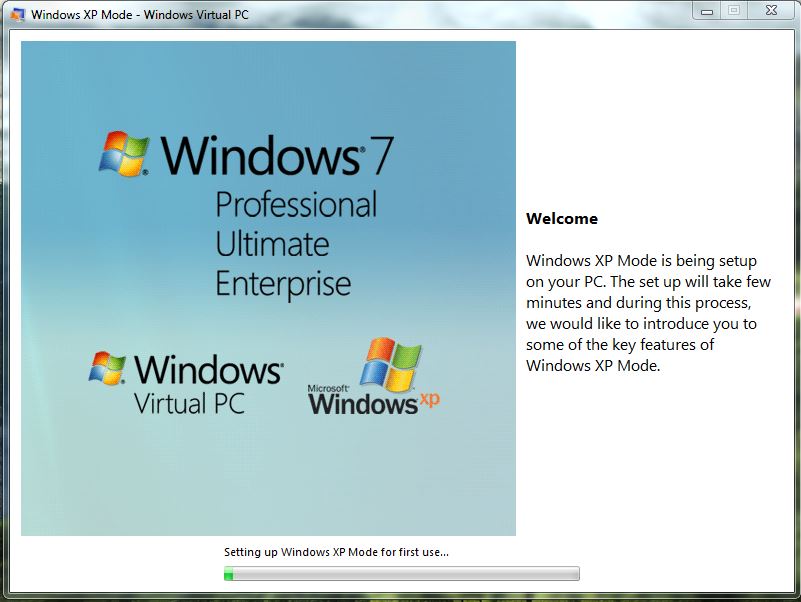
win XP 를 win7, 10,11 에서 쓸 수 있게 하는 방법 모음 입니다.
0. XpMode,VirtualBox : WinXP를 win7,win10,win11 에 설치 모음 ===> https://bahk33.tistory.com/174
1. XpMode,VirtualBox : WinXP를 win10,11 에 설치 - xp.teknixstuff.com 이용 ===> https://bahk33.tistory.com/175
- 가장 빠른 방법 : 근데 win10, win 11 에서 만 된다하고, win7 이야기는 없음
2. XpMode,VirtualBox: WinXP를 win7,10,11 에 설치- ms제공 archive.org 이용 ===> https://bahk33.tistory.com/176
- 본 글
3. XpMode,VirtualBox: WinXP를 win7,10,11 에 설치- Virtual Box 방식 ===> https://bahk33.tistory.com/177
- win xp 뿐 아니라 linux, ubunto 등 설치 가능
~~~~~~~~~~~~~~~~~~~~~`
241215 win7에서 xpmode설치 성공함.
ms 에서 제공하던 사이트 링크가 없어 파일들을 다운 받을 수 없는데 , 이곳에 있다 ,
여기서 ( https://archive.org/details/windows-xp-mode_20200907 )
일단 다운 받자.
목록은 아래와 같다.
| Screenshot 2.jpg | 07-Sep-2020 19:08 | 86.3K |
| Screenshot 2_thumb.jpg | 07-Sep-2020 19:33 | 4.6K |
| Screenshot.JPG | 07-Sep-2020 19:07 | 62.5K |
| Screenshot_thumb.jpg | 07-Sep-2020 19:33 | 3.9K |
| Virtual PC.zip (View Contents) | 08-Sep-2020 20:16 | 16.3M |
| Windows Virtual PC 6.1 32bit.msu | 26-Nov-2024 21:50 | 15.3M |
| Windows Virtual PC 6.1 32bit.zip (View Contents) | 26-Nov-2024 22:10 | 15.3M |
| Windows Virtual PC 6.1 64bit.msu | 26-Nov-2024 21:46 | 16.3M |
| Windows Virtual PC 6.1 64bit.zip (View Contents) | 26-Nov-2024 22:11 | 16.3M |
| WindowsXPMode_en-us.zip (View Contents) | 07-Sep-2020 19:20 | 469.9M |
| __ia_thumb.jpg | 07-Jul-2021 15:22 | 12.2K |
| windows-xp-mode_20200907_archive.torrent | 26-Nov-2024 22:11 | 24.9K |
| windows-xp-mode_20200907_files.xml | 26-Nov-2024 22:11 | 4.8K |
| windows-xp-mode_20200907_meta.sqlite | 26-Nov-2024 22:11 | 46.0K |
| windows-xp-mode_20200907_meta.xml | 25-Aug-2024 17:55 | 4.7K |
| windows-xp-mode_20200907_reviews.xml | 26-Aug-2024 21:18 | 4.7K |
모든 방식에서 가상 머신을 돌리는 방식이다,
따라서
1. 가상 머신 돌리는 sw 설치
2. xp 설치
두 단계로 해야 한다.
1. Windows Virtual PC 6.1 64bit.msu 또는 32 비트를 설치 한다
혹시 Windows Virtual PC 6.1 64bit.msu 를 더블 클릭 하여 설치 하려 할때 , 0x80070422 에러가 난다면,
설치 관리자 오류 0x80070422 해결 하기 ( https://bahk33.tistory.com/178 )
를 보시고 오셔라.

Windows Virtual PC 6.1 64bit.msu 가 제대로 실행 되면 다음과 같이 진행됩니다.


설치 끝나면 다시 부트 하셔요
시작 > Windows Virtual PC 에 보면 2개가 보이는데,

첫번째꺼는 가상 피씨 디렉 토리 이고
두번째거는 XP 모드 들어 가는 거다.
두번째거(Windows XP Mode)를 실행 한다.

이렇게 다운 로드 한다고 하는데, ms 에서 제공ㅇ 끝났다.
그래서 archive.org 에서 다운 로드한 WindowsXPMode_en-us.exe 를 실행 하여 설치 한다.
2. xp 를 설치


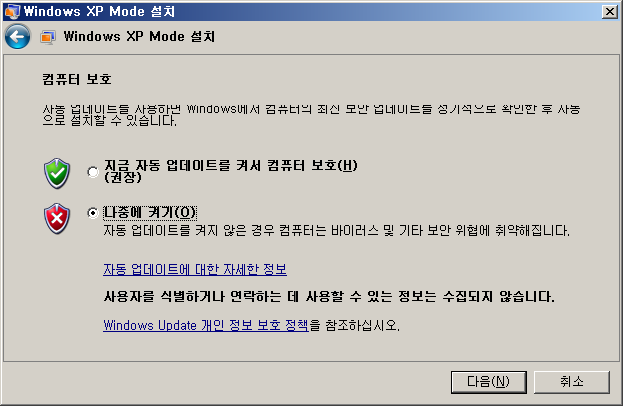

설치가 끝나면 xp 화면이 떠버립니다.

3.
https://www.youtube.com/watch?v=jUStjHO-E8A
를 참고 하였읍니다. 여기 보시고 따라 하셔도 됩니다.
'개발 > ms window' 카테고리의 다른 글
| windows update 문제, 설치 관리자 오류 0x80070422 해결 하기 (0) | 2024.12.15 |
|---|---|
| XpMode,VirtualBox: WinXP를 win7,win10,win11 에 설치- Virtual Box 방식 (0) | 2024.12.15 |
| XpMode,VirtualBox: WinXP를 win7,10,11 에 설치 - teknixstuff.com 이용 (0) | 2024.12.15 |
| XpMode,VirtualBox: WinXP를 win7,win10,win11 에 설치 모음 (0) | 2024.12.15 |
| PC window 11 에서 연결된 wifi 암호 알기 (6) | 2024.12.09 |